
Study Table for Home: Complete Buying Guide for Students and Work from Home (2026)
Right size, ergonomics, storage features, wood vs engineered, and honest price ranges — everything you need before buying a study table online in India.
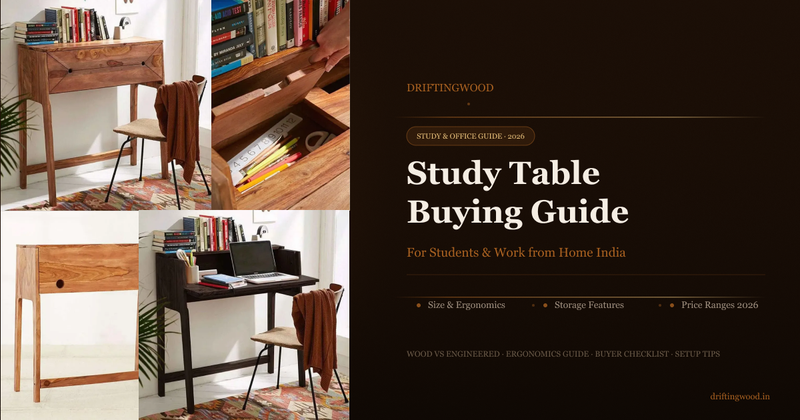
Quick Summary
A bad study table quietly destroys productivity every day — wrong height causes back pain, insufficient surface creates clutter, no storage means constant disruption. This guide covers who needs what type of table, correct surface sizes for students vs WFH professionals, the ergonomics rules that prevent neck and back pain, storage features that actually matter, and honest 2026 price ranges from ₹2,000 particle board to ₹70,000 solid sheesham.
A study table is where concentration happens. For a student, it is where boards are cracked and futures are built. For a professional working from home, it is where 8 hours of focus determine career growth. A bad study table — wrong height, insufficient surface, no storage — quietly destroys productivity every single day. This guide helps you buy the one that works.
FIRST: WHO IS USING THIS TABLE AND HOW?
A study table is not one-size-fits-all. The right table for a Class 10 student sitting 6 hours a day is completely different from what a work-from-home professional with two monitors needs.
School Student (Classes 6–10): Needs adequate surface for books, notebooks, and stationery. Storage drawers and shelves are critical. Height adjustability is valuable as the child grows.
College / Competitive Exam: Longer study sessions — 6 to 10 hours daily. Ergonomics become critical. Larger surface area needed. A dedicated bookshelf or hutch above the desk is highly practical.
Work from Home (Laptop): Minimum 100×50 cm surface. Needs space for laptop, notepad, and essentials. Ergonomic height (72–75 cm) is non-negotiable for 8-hour daily use.
Work from Home (Desktop): Larger surface needed — minimum 120×60 cm. Must accommodate monitor, keyboard, and mouse with clear desk space remaining. Cable management is essential.
Writer / Artist / Creative: Maximum surface area — 140×70 cm or larger. No cluttered storage units above the desk. Natural light positioning is important. Solid, stable surface with no wobble.
Young Child (Classes 1–5): Smaller table — 80×50 cm is adequate. Height must match the child's seated position. Focus on stability and rounded corners for safety.
THE RIGHT TABLE SIZE FOR YOUR USE CASE
80 × 50 cm (Compact): Young children only. Cramped for secondary school use and above.
100 × 50 cm (Standard): Laptop plus one book. Minimum for a serious student or WFH laptop user.
120 × 60 cm (Recommended): Laptop plus books plus stationery. Comfortable for most users. WFH desktop minimum.
140 × 70 cm (Generous): Dual monitors or full spread of study material. Best for competitive exam preparation.
160 × 75 cm and above (Large): Creative professionals, architects, writers. Desk space is the primary priority.
The Surface Rule: Put your laptop on the table. Then place a notebook to the left. Then your stationery holder to the right. Then a glass of water. If any of these feel cramped — the table is too small. Do this simulation with actual items before ordering. An extra 20 cm of table width costs very little but makes an enormous difference to daily comfort.
ERGONOMICS — THE PART NOBODY TALKS ABOUT UNTIL THEIR BACK HURTS
Poor ergonomics at a study table causes neck pain, back pain, eye strain, and wrist problems — all of which reduce study or work quality and cause long-term physical damage.
Table Height for Adults: 72–76 cm. When seated, your elbows should rest comfortably on the table surface with shoulders relaxed — not raised or hunched.
Table Height for Children: 60–68 cm, varies by age. Seat height plus 27–30 cm equals correct table height. Adjustable-height tables are valuable for growing children.
Knee Clearance Below Table: Minimum 45–50 cm vertical clearance between the chair seat and the underside of the table. Less than this forces an unnatural posture that causes lower back strain.
Monitor Distance: 60–70 cm ideal distance from eyes to screen for desktop monitors. A table that is too narrow forces you closer to the screen — causing eye strain over long sessions.
Screen Height: The top of your monitor screen should be at or slightly below eye level. If using a laptop, a laptop stand plus external keyboard is the ergonomic solution.
Table Positioning for Light: Position the table so natural light comes from the side — not from behind (causes screen glare) or directly in front (causes squinting). Left side light is preferred for right-handed users.
Common Ergonomic Mistakes: Buying a table that is too low (forces hunching), placing it facing a window (screen glare), or getting one that is too narrow (forces sitting too close to the monitor). All three are correctable only before you buy.
STORAGE FEATURES — WHAT YOU ACTUALLY NEED
Drawers (Deep): Deep drawers (15 cm+ height) for A4 papers, stationery, and books. Shallow drawers that only hold pens are not sufficient for serious study or work use. Check internal drawer depth before buying.
Hutch / Upper Shelf Unit: Shelves above the table surface for books, files, and reference material. Keeps the desktop clear while keeping essentials within arm's reach. Must not obstruct natural light from above.
Side Bookshelf: Vertical shelf unit attached to one side. More storage than a hutch and does not block the view. Works well in corner placement — the shelf fills dead corner space.
Keyboard Tray: Pull-out tray under the table for the keyboard in desktop setups. Frees up surface space. Not needed for laptop users.
Cable Management: Holes or channels for routing power cables, chargers, and monitor cables. Especially important for WFH setups with multiple devices. Retrofitting after delivery is difficult.
Open Shelves Below: Open shelving below the table surface for large books and files. Accessible without opening drawers. Good for frequently used items that do not need to be on the desktop.
WOOD VS ENGINEERED WOOD
Solid Sheesham Wood: Excellent surface stability, excellent drawer quality, high humidity resistance, 20–30 year lifespan. Best for long-term daily use.
Solid Mango Wood: Very good surface stability, good drawer quality, moderate humidity resistance, 12–18 year lifespan. Budget solid wood option.
Thick Plywood (18mm+): Good performance, moderate humidity resistance, 8–12 year lifespan. Mid-range option.
MDF (15mm+): Acceptable surface, low humidity resistance, 5–8 year lifespan. Acceptable for short-term or light use only.
Particle Board / Thin MDF: Flexes under writing pressure, very low humidity resistance, 2–4 year lifespan. Avoid.
For a child's study table used 8–10 years through school — solid sheesham or mango wood is the correct investment. For a serious student doing competitive exam preparation with 8–10 hour daily sessions — only solid wood will hold up without wobble, surface flex, or drawer failure.
FOLDABLE VS FIXED STUDY TABLES
Fixed Solid Wood Table: Best for daily serious use and long sessions. Avoid for very small rooms only.
Foldable / Wall-Mounted: Good for rooms under 100 sq ft and occasional use. Avoid for daily 4+ hour sessions — not stable enough for intensive study or typing.
L-Shape Corner Desk: Best for WFH dual monitor setups and creative work. Takes significant corner space — not for small rooms.
Height-Adjustable Sit-Stand: Best for WFH professionals conscious of long sitting hours. Premium price for the mechanism.
Computer Desk with Hutch: Best for desktop WFH setup with heavy storage needs. Hutch obstructs view for laptop-only users.
Foldable Table Reality Check: Foldable study tables look like a smart solution for small rooms. In practice, the folding mechanism introduces wobble — which becomes increasingly annoying during intensive study or typing sessions. If the table will be used more than 2 hours daily, a fixed table in even a small room is a better investment.
WHAT TO CHECK BEFORE BUYING ONLINE
1. Measure table height against your existing chair before ordering. Sit in your chair. Measure from the floor to your elbow when your arm hangs naturally. The table surface should be at this height — approximately 72–76 cm for most adults.
2. Check the tabletop thickness. Minimum 18mm for solid wood, or 25mm for MDF or plywood. Thinner tops flex when you press down while writing — creating a surface wobble that makes handwriting difficult.
3. Check drawer internal depth — not just external dimensions. A drawer that looks large in product photos may have a thin false bottom reducing actual storage depth. Ask: "What is the internal usable depth of the drawers?"
4. Verify legroom clearance below the tabletop. Minimum 60 cm of knee clearance is needed for comfortable seated use. Desks with low-hanging drawers can reduce this significantly.
5. Check if the hutch or upper shelf blocks natural light. An upper shelf that blocks the window or ceiling light creates a shadow directly on the work surface — exactly where you need light most.
6. Check assembly complexity before ordering. Study tables with integrated bookshelves, drawers, and hutch units can have 40–60 component parts. For tables with hutch units, professional assembly is strongly recommended.
7. Read reviews specifically for "wobbly," "surface scratches easily," and "drawer slides stiff." Wobble means weak joints. Surface scratches easily means thin or poor-quality finish. Stiff drawer slides means cheap hardware.
HONEST PRICE RANGES FOR STUDY TABLES IN INDIA 2026
₹2,000 – ₹6,000: Thin MDF or particle board, no storage, basic finish. Flexes under writing pressure. Suitable only for very light, occasional use. Avoid for serious study.
₹6,000 – ₹14,000: Thicker MDF or plywood, basic drawers, acceptable finish. Reasonable for a student using it 2–4 hours daily for a few years.
₹14,000 – ₹30,000: Solid mango or sheesham wood, good storage, quality finish, stable surface. Recommended for serious daily study or WFH use.
₹30,000 – ₹70,000: Premium solid sheesham, large surface, integrated bookshelf, full cable management, quality drawer hardware. For serious professionals and long-term investment.
The Student Investment Calculation: A student preparing for JEE, NEET, UPSC, or CAT spends 8–10 hours daily at their desk for 1–3 years. A ₹3,000 particle board table that wobbles and has no organised storage actively harms study quality every single day. A ₹18,000 solid sheesham table that is stable and ergonomic is not an expense — it is infrastructure for success.
HOW TO SET UP YOUR STUDY TABLE FOR MAXIMUM PRODUCTIVITY
Clear the surface completely every evening: A cluttered desk the next morning creates a psychological barrier to starting work. Keep only items used daily on the surface — everything else goes in drawers or on shelves.
Position the monitor at arm's length: Sit back in your chair and extend your arm — your fingertips should just touch the monitor. If using a laptop, use a stand to raise it to eye level and connect an external keyboard and mouse.
Use a desk lamp even in well-lit rooms: Overhead room lighting creates shadows under your hands when writing. A directed desk lamp positioned from the left for right-handed users eliminates shadows and reduces eye strain.
Keep frequently used items within arm's reach without leaning: Stationery, notebook, phone — all should be reachable without stretching. Items reached by stretching end up permanently on the table surface, creating clutter.
THE BOTTOM LINE
A study table is where real work happens. The right one — correct height, adequate surface, organised storage, stable solid wood — disappears into the background and lets you focus. The wrong one — too small, wrong height, wobbling legs, stiff drawers — becomes a source of daily friction that quietly reduces the quality of every hour spent at it.
Know your use case. Match the size to your actual needs. Check the height before ordering. Choose solid wood for long-term use. Buy once.
Browse DriftingWood's full study and office furniture collection at driftingwood.in/category/study-and-office
Frequently Asked Questions
What is the right height for a study table in India?
The standard ergonomic study table height for adults is 72–76 cm. When seated, your elbows should rest comfortably on the surface with shoulders relaxed. For children, the correct height is seat height plus 27–30 cm. Measure against your existing chair before ordering.
What size study table do I need for a laptop?
Minimum 100×50 cm for a laptop-only setup. For a laptop plus books and stationery, 120×60 cm is recommended. This gives enough surface to work without constantly clearing space when opening a notebook or reference material.
Which is better — a foldable or fixed study table?
A fixed study table is better for anyone using it more than 2 hours daily. Foldable tables introduce wobble from the folding mechanism — tolerable for occasional use but frustrating for intensive study or typing sessions. Only choose foldable if the room genuinely cannot fit a fixed table.
What is a good price for a solid wood study table in India?
A solid sheesham or mango wood study table with good storage costs between ₹14,000 and ₹30,000 in 2026. Tables below ₹6,000 are typically thin MDF or particle board that flex under writing pressure and have poor drawer quality.
How do I prevent back and neck pain when using a study table?
Ensure the table height is 72–76 cm for adults so elbows rest naturally on the surface. Position the monitor at arm's length and at eye level — use a laptop stand if needed. Place the table so natural light comes from the side, not from behind or directly in front. Take a standing break every 45–60 minutes.